Go to the assignment submission in Blackboard
Drag and drop your files into the Submission box, or choose the 'Upload' option to browse your device.
Note: for files stored on the cloud, use the 'Upload from Cloud' option.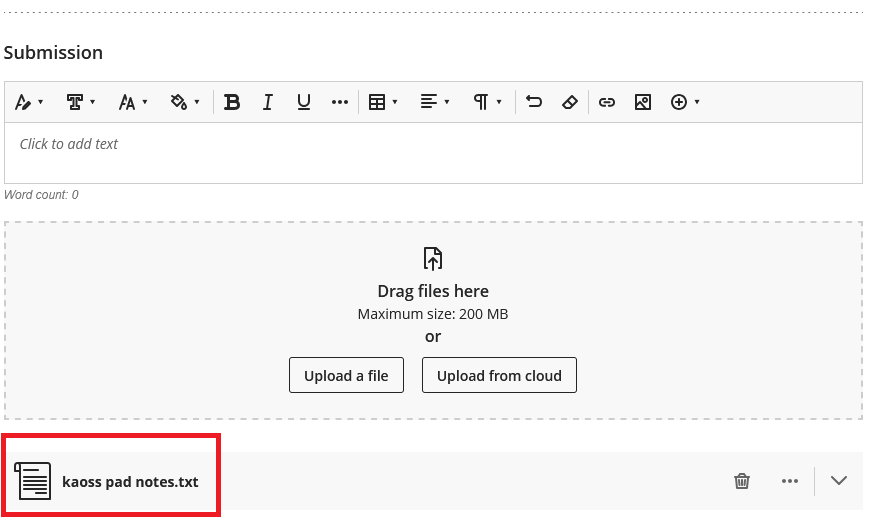
Once your file is attached (shown here in red) you can hit the Submit button.
Your file will be submitted with your attempt.
.
Was this article helpful?
That’s Great!
Thank you for your feedback
Sorry! We couldn't be helpful
Thank you for your feedback
Feedback sent
We appreciate your effort and will try to fix the article