Safe Assign is an elective tool used by instructors used to check for originality on a given assessment.
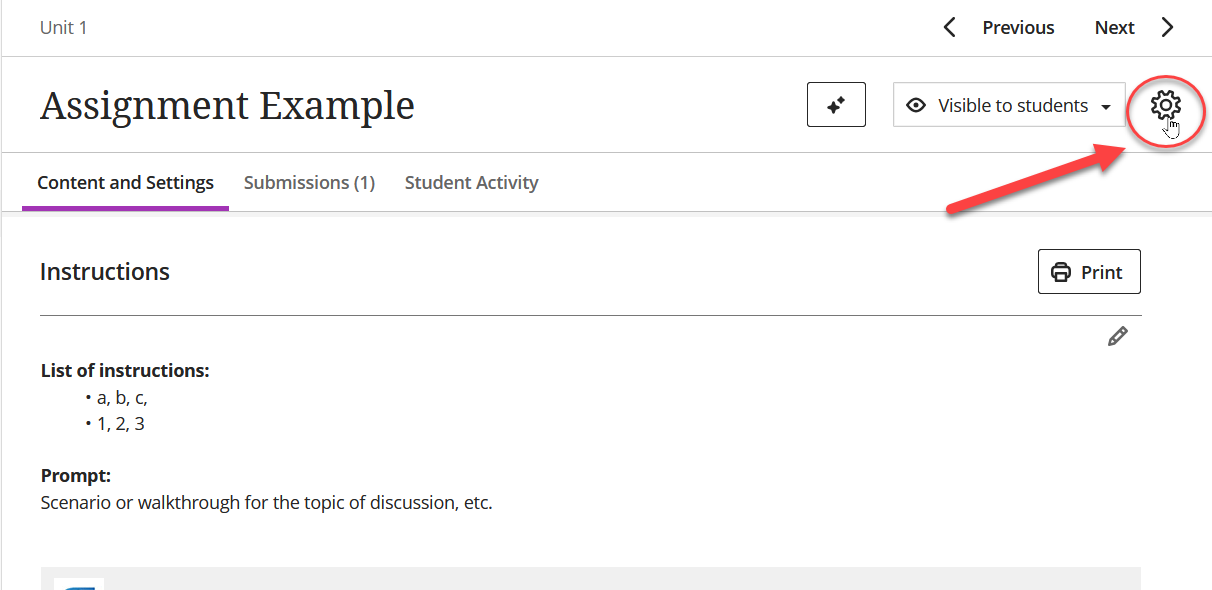
Accessing, or enabling SafeAssign is done through the settings pane of an assignment or related item, accessed by clicking the gear icon:
Once you've opened the settings pane on the right, scroll down to the very bottom, here:
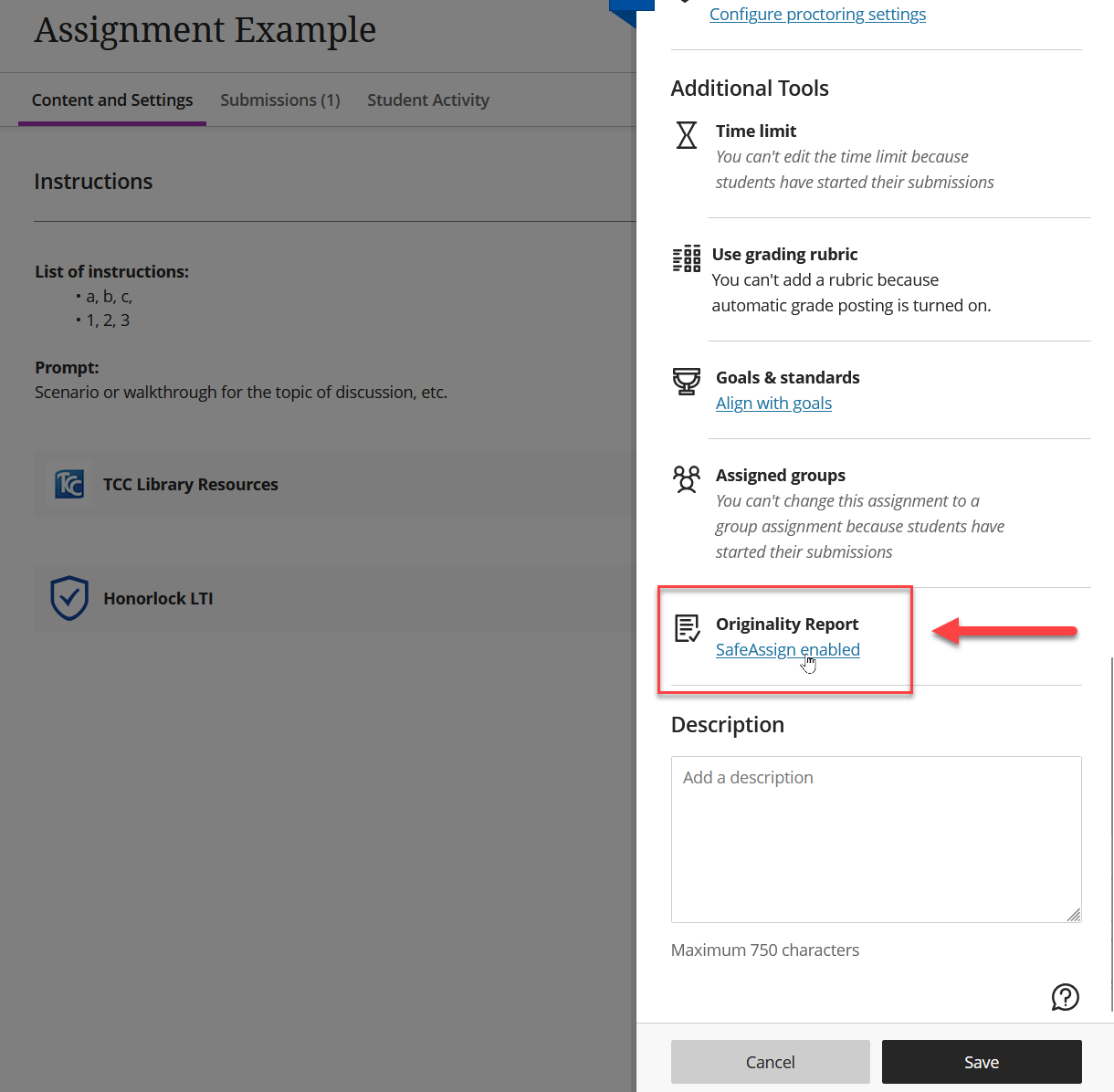
In the configuration there are a few settings you have choices for (y/n):
- Allow students to view the SafeAssign Originality Report for their attempts
- Exclude submissions from the institutional and Global Reference Databases
If you'd like to learn more about SafeAssign you can access general information and FAQs provided from Blackboard's knowledge base here.
Was this article helpful?
That’s Great!
Thank you for your feedback
Sorry! We couldn't be helpful
Thank you for your feedback
Feedback sent
We appreciate your effort and will try to fix the article